

BrowserAgent Review: Can an AI Browser Agent Really Finish Online Work for You?
Most AI tools are still trapped in the advice layer. They can write a plan, summarize a page, suggest a cold email, or tell you how to research a market. The uncomfortable part is that the actual work still lands back on your desk: opening websites, copying data, checking profiles, posting content, filling forms, exporting spreadsheets, and repeating the same steps until the job is finally done.
BrowserAgent is built around a different promise: instead of only telling you what to do, it takes control of a real browser and performs web-based tasks for you. You give it a plain-English instruction, or choose from a library of ready-made missions, and it clicks, types, searches, scrolls, collects, posts, and organizes the result.
That matters because the AI market is moving from content generation toward agentic execution. In 2026, the winners are not just people with better prompts; they are the teams that can delegate repetitive online work to reliable AI agents and then package the output into services, lead generation systems, ecommerce research, client reports, or internal productivity workflows.
Affiliate disclosure: this review includes sponsored affiliate links. If you decide BrowserAgent fits your workflow and purchase through those links, we may earn a commission at no extra cost to you. The recommendation below is based on practical fit, workflow value, and buyer suitability rather than hype.
If you are already looking for an AI browser automation tool that can handle real online tasks instead of just generating more ideas, you can explore BrowserAgent here and compare the current offer, included missions, and commercial-rights details before buying.
Quick Verdict: Is BrowserAgent Worth It?
BrowserAgent is best for marketers, local lead-generation sellers, freelancers, creators, ecommerce researchers, and small agencies that repeatedly perform browser-based work and want to turn those tasks into repeatable missions. Its strongest use cases are lead collection, competitor research, social posting, review monitoring, directory research, product research, and client-ready report generation.
- Best for: users who already know what online tasks create business value and want to automate the execution.
- Not ideal for: people expecting perfect hands-off automation on every website, especially where captchas, strict logins, or platform rules interfere.
- Pricing positioning: BrowserAgent is positioned as a one-time investment with no recurring monthly fee during the launch offer, which makes it attractive compared with monthly AI agent tools. Always verify the live pricing page because launch terms can change.
- Ease of use: easier than open-source browser agents because it uses plain-English commands and ready-made missions, but users still need judgment when reviewing outputs.
- Overall recommendation: a strong fit if you want to automate profitable browser work; a weaker fit if you only need occasional AI writing or simple chatbot assistance.
What Is BrowserAgent?
BrowserAgent is an AI browser automation platform. In practical terms, it acts like a cloud-based worker that can operate websites through a real browser interface. It can open pages, search directories, interact with forms, collect information, post content, and export finished results.
The product sits in the emerging category of autonomous AI agents. Unlike a standard chatbot, which responds with text, BrowserAgent is designed to take action. That distinction is important. A chatbot can suggest that you find 200 dentists in Miami. BrowserAgent is positioned to go into Google Maps, Yelp, and local directories, gather the business details, and return a structured list.
The core value proposition is leverage. If a task lives inside a browser and follows a repeatable workflow, BrowserAgent can potentially reduce hours of manual labor into a short instruction, a reusable mission, and an exportable output. This is particularly useful for people who sell services where clients pay for deliverables, not effort.
Key Features and Why They Matter
Plain-English Task Commands
BrowserAgent lets users type what they want in natural language. This matters because most small business owners and freelancers do not want to maintain scripts, connect APIs, or troubleshoot developer tools. A plain-English command lowers the barrier between having an idea and executing the operational work required to test it.
Real Browser Control
The product can drive a real browser by clicking, typing, scrolling, opening tabs, handling dynamic pages, and collecting data. The business impact is obvious: many valuable tasks happen on websites that do not offer clean API access. Local directories, competitor websites, public listings, review platforms, and social networks often require browser interaction.
50+ Ready-Made Missions
BrowserAgent includes missions for lead generation, social media automation, competitor intelligence, ecommerce research, jobs and outreach, content and SEO, data entry, and monitoring. The hidden advantage is not only convenience; it gives beginners a menu of monetizable workflows. Instead of asking, “What should I automate?” users can start with proven categories such as Google Maps lead finding, review analysis, Amazon review research, LinkedIn prospect research, and WordPress publishing.
Cloud-Based Execution
Because BrowserAgent runs tasks in the cloud, your laptop does not need to remain open while every mission completes. This is valuable for recurring workflows such as daily price monitoring, weekly competitor reporting, scheduled social posts, or routine lead collection. In an agency environment, cloud execution helps shift automation from a personal productivity trick into a more reliable operating process.
Live Browser Feed, Action Logs, and Screenshot Timeline
One of the more underrated features is visibility. BrowserAgent lets you watch tasks happen live, review action logs, and use screenshots as proof of work. For client services, this can become a trust asset. Instead of only delivering a spreadsheet, you can show the process, demonstrate that research was performed, and reduce client skepticism.
Structured Exports
Finished results can be organized into tables, spreadsheets, reports, CSV, Excel, or Google Sheets. This is where automation becomes usable. A raw scrape is not very valuable if you still need two hours of cleanup. BrowserAgent’s commercial value depends heavily on whether the output is structured enough to use immediately in outreach, analysis, or client delivery.
Scheduling and Re-Runs
Recurring automation is where ROI often compounds. A one-time lead scrape saves time once. A scheduled monitor that checks competitor prices, new reviews, content changes, or product trends every week creates an ongoing intelligence system. This becomes valuable if you sell monthly reporting or need fresh data for internal decision-making.
If the feature set matches the kind of browser work you already do, it is worth reviewing the current mission library and launch terms directly on the BrowserAgent access page.
Real Use Cases for BrowserAgent
For Marketers
Marketers can use BrowserAgent to gather prospect lists, analyze local search results, research competitors, monitor reviews, collect advertising examples, and prepare personalized outreach. A practical workflow would be: identify a niche, collect 200 local businesses, filter for weak websites or poor ratings, generate tailored outreach messages, and then follow up with a service offer.
For Creators
Creators can use BrowserAgent to distribute content across platforms, research trending topics, analyze competitor posting schedules, monitor comments, and collect collaboration prospects. This is particularly useful for creators who are strong at content but inconsistent with distribution. BrowserAgent does not replace creative judgment, but it can reduce the repetitive posting and research burden.
For Freelancers
Freelancers can turn BrowserAgent outputs into services. Examples include local lead lists, competitor research reports, review audits, directory submissions, Upwork proposal drafting, and niche research packages. The important point is to sell the outcome, not the tool. Clients do not need to know how many clicks were automated; they care whether the research is accurate and actionable.
For Agencies
For agencies managing multiple clients, BrowserAgent can support repeatable delivery systems. A social media agency could schedule content distribution. A local SEO agency could collect citation opportunities and monitor reviews. A web design agency could identify businesses with outdated websites, missing websites, poor reviews, or weak online profiles. If you are evaluating broader agentic agency workflows, you may also find this related review useful: Agentix Agents review.
For Ecommerce Businesses
Ecommerce operators can use BrowserAgent for product research, competitor pricing checks, marketplace monitoring, Amazon review analysis, Shopify competitor research, and trend discovery. The biggest business value is not merely collecting product names; it is identifying demand signals, customer complaints, price gaps, and offer angles before spending ad budget.
For Local Businesses
Local businesses can use BrowserAgent to monitor reviews, track competitors, update directory listings, find partnership opportunities, and research nearby market gaps. A local roofing company, for example, could monitor competitors’ review patterns and use that data to improve follow-up, service positioning, and ad messaging.
For Automation Workflows
BrowserAgent works especially well as the execution layer in a larger automation stack. ChatGPT can plan the research logic, BrowserAgent can gather the web data, Google Sheets can store it, and an email tool or CRM can handle follow-up. This layered approach is more realistic than expecting one tool to manage every part of a business process perfectly.
Benefits Analysis: What Outcomes Can BrowserAgent Create?
The main benefit is reclaiming time from low-skill but high-friction web work. Tasks such as directory research, profile checking, social posting, product comparisons, and form submissions are not always intellectually difficult, but they consume energy and interrupt higher-value work.
The second benefit is service creation. BrowserAgent can help users create sellable deliverables such as lead lists, competitor reports, local business audits, review intelligence reports, product opportunity sheets, and content distribution packages. This matters for freelancers and agencies because the tool can turn automation into billable output.
The third benefit is consistency. Many entrepreneurs do not fail because they lack ideas. They fail because they stop doing the repetitive actions that produce momentum: prospecting, posting, researching, tracking, and following up. BrowserAgent can make those actions easier to repeat.
The fourth benefit is faster market testing. Instead of spending a week manually researching whether a niche has local businesses with bad websites, weak reviews, or poor social presence, you can run a mission and decide whether the opportunity is worth pursuing.
If your business model depends on repeated research, outreach preparation, or browser-based delivery, checking BrowserAgent’s current offer makes sense before committing to a monthly VA, a complex open-source tool, or a more expensive AI agent platform.
What Most Reviews Don’t Tell You About BrowserAgent
The biggest hidden strength is that BrowserAgent is not really a “software tool” in the traditional sense. It is closer to an operational assistant for browser workflows. That means its value depends less on how many features it has and more on whether you can identify repeatable tasks that produce money, time savings, or decision advantage.
The overlooked weakness is that browser automation is inherently messier than API automation. Websites change layouts, introduce popups, throttle activity, require logins, add captchas, or restrict automated behavior in their terms. BrowserAgent may be built to adapt to complex sites, but no serious buyer should assume every mission will run perfectly forever without review.
Another under-discussed point is data responsibility. If you scrape leads, personalize outreach, or collect public information, you are responsible for how you use that data. BrowserAgent can help gather and organize information, but compliance with platform rules, privacy laws, email regulations, and client expectations remains your responsibility.
The most practical buyers will treat BrowserAgent as a productivity multiplier, not a magic employee. They will build small, repeatable workflows, test accuracy, create quality-control checks, and then scale missions that consistently produce useful output.
Who BrowserAgent Is Best For
- Local marketing agencies that need prospect lists, reputation audits, directory research, and competitor snapshots.
- Freelancers who want sellable deliverables without hiring a VA for repetitive research.
- Affiliate marketers who need product research, competitor tracking, content publishing, and opportunity discovery.
- Creators who want to reduce manual posting and audience research.
- Ecommerce sellers who monitor product demand, pricing, reviews, and marketplace signals.
- Small teams that cannot justify a full-time operations assistant but still need recurring browser tasks completed.
Who Should Avoid BrowserAgent?
BrowserAgent is not ideal for people who want a completely passive income system with no strategy, no quality control, and no client communication. It can perform browser tasks, but it cannot decide your positioning, guarantee client sales, or replace business judgment.
It is also not the best fit if your work depends on heavily restricted platforms that aggressively block automation, require constant human verification, or forbid scraping and automated interactions. Before using it commercially, review the rules of the platforms you plan to automate.
Beginners who have no clear use case may also struggle. The mission library helps, but the highest ROI comes when you know what output you want: a list of prospects, a report, a publishing schedule, a review summary, or a research file. Without a defined outcome, automation can become another shiny object.
Honest Limitations
The biggest limitation is reliability across the open web. Even advanced browser agents can encounter captchas, login problems, two-factor authentication, broken sessions, changed layouts, or incomplete data. BrowserAgent’s live feed, logs, and screenshots help with oversight, but users should still verify important outputs before sending them to clients.
The learning curve is not technical coding, but operational thinking. Most beginners will struggle less with clicking buttons and more with designing a mission that produces a useful business result. For example, “find businesses” is vague. “Find 150 restaurants in Dallas with ratings below 3.8, no recent review responses, and visible contact details” is a much better instruction.
Support expectations should also be realistic. Priority support is listed as part of the offer, but launch-period products can experience high ticket volume. If your business depends on a mission, test it before promising same-day delivery to a client.
Scalability also depends on worker limits, platform behavior, data volume, and mission complexity. BrowserAgent mentions concurrent workers and unlimited repetitions, but larger operations should still design review checkpoints and avoid overloading sensitive platforms.
BrowserAgent Compared With Other Options
| Option | Best For | Main Catch | How BrowserAgent Differs |
|---|---|---|---|
| Manual work | Occasional one-off tasks | Time does not scale | Automates repeated browser actions and exports results |
| Virtual assistants | Human judgment and complex communication | Recurring payroll and training | Better for repetitive structured tasks at lower ongoing cost |
| ChatGPT-style tools | Writing, planning, analysis, ideation | Usually does not execute browser work | Acts inside websites rather than only producing text |
| Open-source browser agents | Developers and technical operators | Setup, hosting, maintenance, debugging | No-code positioning with cloud hosting and ready-made missions |
| Enterprise AI agents | Large teams with budget and custom workflows | High monthly cost and onboarding | More accessible for freelancers, creators, and small businesses |
Positioning-wise, BrowserAgent is trying to occupy the gap between free-but-technical agent frameworks and expensive monthly automation platforms. That gap is real. Many solo operators want AI agents, but they do not want to configure servers, maintain scripts, or pay enterprise pricing before proving the workflow.
If your main interest is local reputation gaps and turning them into client opportunities, you may also want to compare BrowserAgent’s lead and review workflows with tools designed specifically for reputation prospecting, such as this RevRescue AI review.
ROI and Business Impact
The ROI makes sense when BrowserAgent replaces work you already do or helps you sell deliverables that clients already buy. A local business lead list, for example, may be worth $100 to $500 depending on niche, freshness, filtering, and contact quality. A competitor intelligence report can be positioned as a monthly service if it includes pricing, ads, reviews, content cadence, and market observations.
Time savings can be substantial on repetitive research. If manually collecting 200 local leads takes four hours and BrowserAgent reduces that to setup plus review time, the savings are immediate. But the larger business impact comes from frequency. A task that was too boring to run weekly can become a recurring process.
Revenue opportunities include selling lead lists, social posting packages, review monitoring reports, ecommerce product research, SEO audits, directory submission services, and competitor tracking. The strongest offer is usually not “I use AI.” It is “I deliver fresh qualified prospects every week” or “I monitor your competitors and send a monthly action report.”
For agencies, BrowserAgent may improve margins by reducing fulfillment time. For creators, it can protect attention by removing distribution chores. For ecommerce sellers, it can improve decision speed by surfacing product and price signals faster. For local businesses, it can provide visibility into reputation and competitor movement without hiring a full-time marketer.
AI and Automation Compatibility
BrowserAgent fits well into modern AI workflows because it handles the action layer. ChatGPT can help design prompts, write outreach angles, analyze exported data, or summarize findings. BrowserAgent can then gather the inputs from real websites. This combination is stronger than either tool alone.
In agency systems, BrowserAgent can feed Google Sheets with lead data, screenshots, and reports. A CRM can then manage follow-up. A writing model can personalize cold emails. A scheduling tool can handle campaign timing. In practical workflows, BrowserAgent becomes the browser worker inside a broader automation stack.
For AI content workflows, BrowserAgent can research competitors, collect keywords, find broken links, publish to WordPress, and monitor rankings. For lead generation systems, it can collect prospects, inspect websites, identify problems, and prepare personalized outreach. For creator workflows, it can help with multi-platform publishing and audience research.
The key is to avoid asking BrowserAgent to be the strategist, the writer, the CRM, and the closer all at once. Let it do what browser agents are best at: performing repeatable actions on websites and returning organized outputs.
BrowserAgent Demo Video
Before buying any AI agent tool, it is useful to watch the workflow rather than only read the feature list. Pay attention to how tasks are started, how the live browser behaves, how results are returned, and how much review is needed after completion.
Pros and Cons
Pros
- Automates real browser-based tasks rather than only generating advice or text.
- Plain-English commands make the tool more accessible to non-technical users.
- 50+ ready-made missions reduce the blank-page problem for beginners.
- Useful for monetizable services such as lead lists, reports, audits, and research packages.
- Cloud execution allows tasks to run without keeping your computer active.
- Live browser feed, logs, and screenshots provide transparency and client proof.
- One-time pricing positioning may offer strong value compared with monthly tools if the offer remains available.
- Commercial-rights positioning makes it more relevant for freelancers and agencies.
Cons
- Browser automation can be disrupted by captchas, login issues, website changes, and platform restrictions.
- Outputs still require human review before client delivery or outreach use.
- Beginners need a clear business workflow to get meaningful ROI.
- Not a full replacement for CRM, email delivery, strategic consulting, or human sales conversations.
- Current pricing and included hosting terms should be verified on the live sales page before purchase.
Final Verdict: Should You Get BrowserAgent?
BrowserAgent is one of the more interesting AI automation tools because it focuses on execution rather than more content generation. The value is not that it can “use AI.” The value is that it can perform browser tasks that normally consume hours of repetitive labor and turn them into reusable missions.
My recommendation is straightforward: BrowserAgent is worth considering if you have a clear browser-based workflow that saves time or creates sellable output. It is especially strong for local lead generation, competitor intelligence, social posting, review research, ecommerce research, and recurring monitoring.
You should be more cautious if you are hoping the software will invent a business for you. It will not replace positioning, client acquisition, quality control, or compliance judgment. The best users will combine BrowserAgent with a specific offer, a review process, and a simple delivery system.
For freelancers and agencies, the practical path is to start with one mission: build a lead list, create a competitor report, or monitor reviews for a niche. Validate the output. Package it. Sell the result. Then automate the repeatable parts. That is where BrowserAgent can create real leverage.
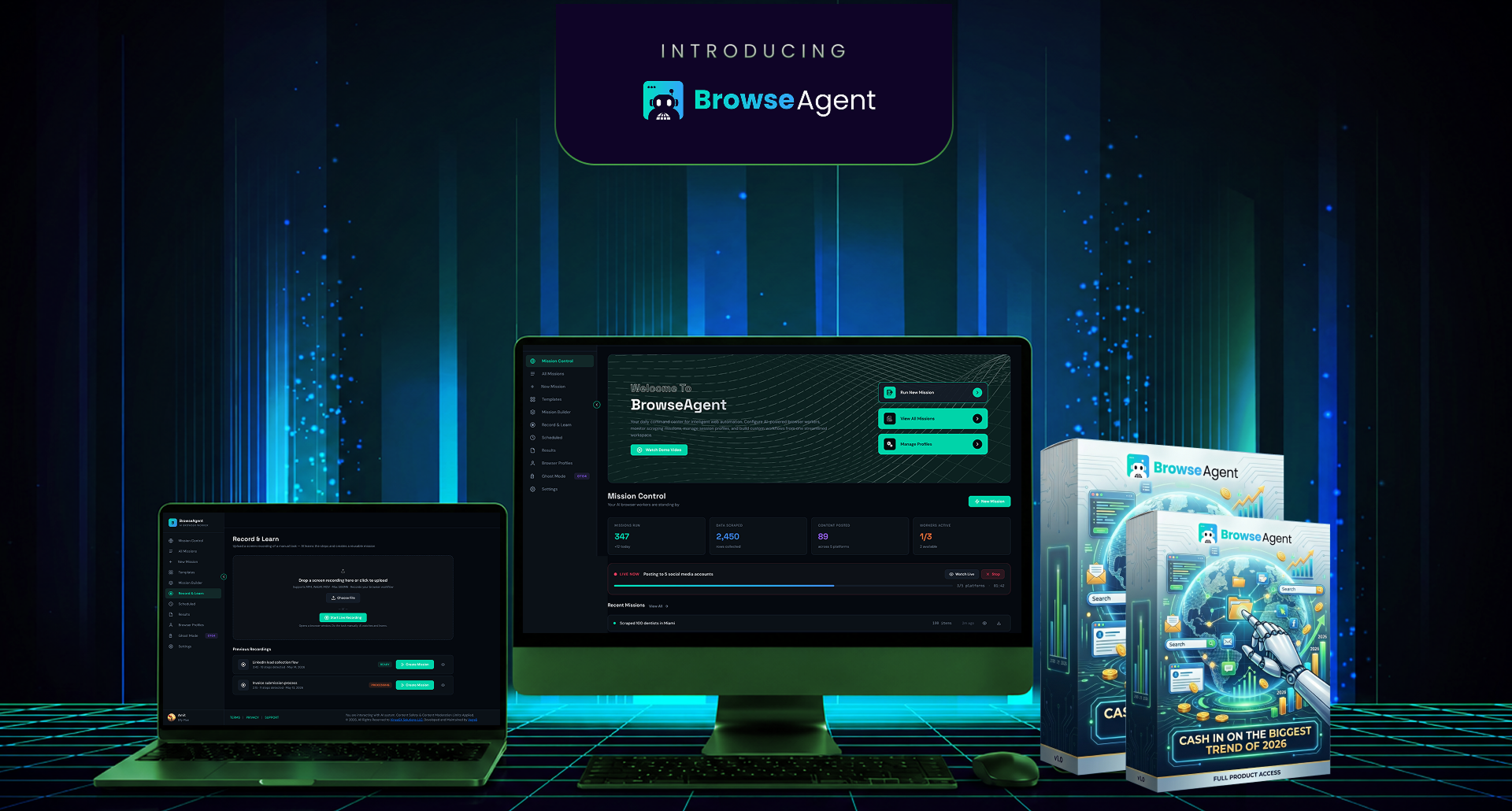
If you want an AI tool that can operate inside a browser and help you produce client-ready work faster, BrowserAgent is worth reviewing while the current offer is live. Check the included missions, hosting terms, commercial rights, and pricing before deciding.
BrowserAgent FAQ
What is BrowserAgent?
BrowserAgent is an AI browser automation tool that can execute online tasks inside a real browser. It can click, type, search, scroll, collect data, post content, fill forms, and deliver structured outputs based on plain-English instructions or ready-made missions.
Does BrowserAgent actually do the work or just give instructions?
BrowserAgent is designed to do the work. Unlike a standard chatbot that gives advice, it operates websites through a live browser environment and completes tasks such as lead collection, competitor research, posting, and data extraction.
Can BrowserAgent help me make money?
It can help create sellable outputs such as lead lists, research reports, competitor audits, product research files, and social posting services. However, income depends on your offer, niche, pricing, sales process, and quality control. The tool creates leverage, not guaranteed revenue.
Is BrowserAgent good for agencies?
Yes, BrowserAgent is particularly useful for agencies managing repetitive fulfillment tasks across clients. It can support local prospecting, reputation research, competitor tracking, directory work, content publishing, and recurring reports.
What makes BrowserAgent different from ChatGPT?
ChatGPT is strongest for writing, reasoning, planning, and analysis. BrowserAgent is built to act inside websites. A strong workflow is to use ChatGPT for strategy and BrowserAgent for browser execution.
Does BrowserAgent require coding?
No coding is positioned as required. Users can type tasks in plain English or use prebuilt missions. The learning curve is mainly about designing useful workflows and checking output quality.
What are the biggest risks?
The main risks are unreliable performance on some websites, captchas, login restrictions, changing page layouts, platform terms, data accuracy issues, and overpromising client delivery before testing a mission.
Is BrowserAgent a good fit for beginners?
BrowserAgent can be beginner friendly because of its mission library and plain-English interface. Beginners will get better results if they start with one specific use case, such as building a local lead list or creating a competitor report, instead of trying to automate everything at once.